A spreadsheet is good at one rule applied to one column. The moment the rule gets interesting, say "transform each value, but the transform is three operations," the usual answer is a helper column, or a long formula copied down a thousand rows, or both. LAMBDA lets you skip the helper column. You write the rule once, as a small anonymous function, and hand it to a function that applies it across a range.
This is the same LAMBDA you may know from other modern spreadsheets, and it works the same way here, right down to round-tripping through .xlsx. This post is the tour: what a lambda is, and the five functions that consume one.
What a lambda is
LAMBDA defines a function without giving it a name. Its arguments are parameter names, and its last argument is the calculation:
LAMBDA(x, x * 2)            a function of one argument that doubles it
LAMBDA(a, b, a + b)         a function of two arguments that adds them
On its own a lambda does nothing. =LAMBDA(x, x * 2) in a cell is an error, the way a recipe with no ingredients is. A lambda is something you pass to one of the five functions below. Each one calls your lambda over and over, binding the parameters to different values, and collects the results.
Two things matter throughout. First, parameters are ordinary values inside the body, so the body can be any formula you like: comparisons, IF, other functions, cell references. Second, a lambda can reach outside itself. LAMBDA(x, x * $B$1) reads B1 the way any formula would. That reach is what lets these functions stand in for whole grids of helper formulas.
MAP, transform each element
MAP applies a lambda to every element of a range and spills the results:
=MAP(A1:A100, LAMBDA(x, x * 2))                  double each value
=MAP(A1:A100, LAMBDA(x, IF(x < 0, 0, x)))        clamp negatives to zero
That second one is a helper column you no longer write. Pass more than one range and the lambda takes one parameter per range, walking them in step:
=MAP(A1:A100, B1:B100, LAMBDA(price, qty, price * qty))
One formula, one column of line totals, no fill-down.
SCAN, carry a running result
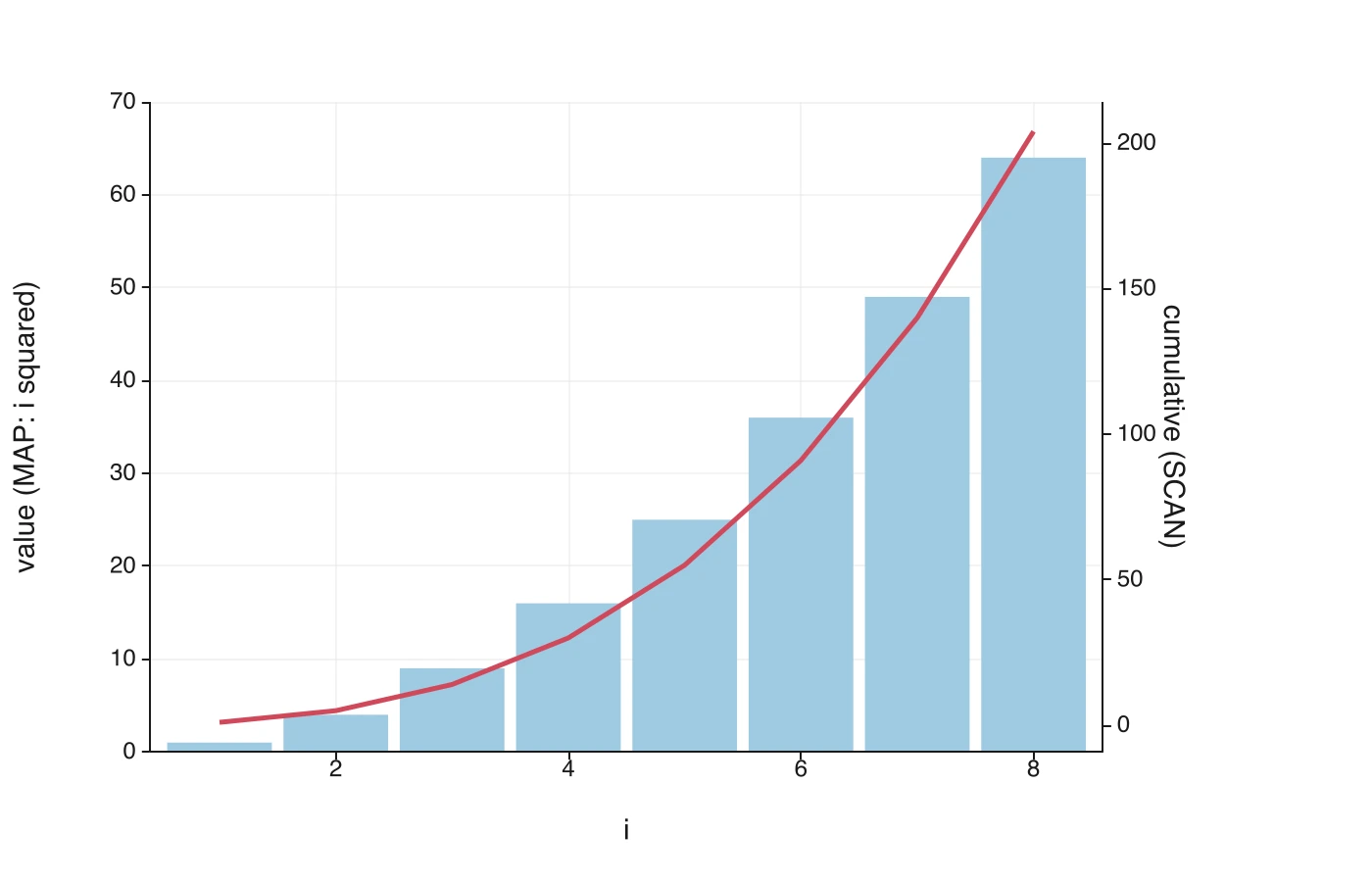
SCAN is for the case where each output depends on the previous one. It takes a starting value, a range, and a lambda of two parameters, the accumulator and the current element, and it spills every intermediate accumulator:
=SCAN(0, A1:A100, LAMBDA(acc, x, acc + x))       cumulative sum
=SCAN(1, A1:A100, LAMBDA(acc, x, acc * x))       cumulative product
=SCAN(A1, A1:A100, LAMBDA(acc, x, MAX(acc, x)))  running maximum
A running total used to mean a column of =SUM($A$1:A1) dragged down, which is an O(n²) pattern that gets slower as the data grows. SCAN is one formula and computes the whole trajectory in a single pass. A running credible interval puts it to work watching a Bayesian posterior tighten roll by roll.
REDUCE, fold to a single answer
REDUCE is SCAN's sibling. Same shape, but it keeps only the final result instead of spilling the trajectory. It returns one value, so it lives in an ordinary cell:
=REDUCE(0, A1:A100, LAMBDA(acc, x, acc + x))         a sum
=REDUCE(1, A1:A100, LAMBDA(acc, x, acc * x))         a product
=REDUCE(0, A1:A100, LAMBDA(acc, x, acc + x * x))     sum of squares
For a plain sum you would just use SUM. REDUCE earns its keep when the fold is something the built-in aggregates do not offer, like a custom combine, a guarded accumulation, a product, or a running argmax.
BYROW and BYCOL, collapse a grid one axis at a time
MAP, SCAN, and REDUCE think in single columns. BYROW and BYCOL work on a two-dimensional range, handing the lambda a whole row (or column) at a time and spilling one value per row (or column):
=BYROW(A1:C10, LAMBDA(r, SUM(r)))         a row total for each of 10 rows
=BYCOL(A1:C10, LAMBDA(c, AVERAGE(c)))     a column mean for each of 3 columns
Inside the lambda the parameter r is the row, so SUM(r), MAX(r), or AVERAGE(r) aggregate across it. This is the tidy way to get marginals, row sums down the side of a table or column means along the bottom, without a fringe of SUM formulas you have to keep lined up with the data.
Lambdas compose
Because a lambda body is just a formula, it can contain another higher-order call, and the inner lambda can see the outer one's parameters:
=MAP(A1:A10, LAMBDA(x, REDUCE(0, B1:B10, LAMBDA(acc, y, acc + x * y))))
For each x in column A, the inner REDUCE folds column B with x held fixed. That is a dot-product-like pattern in one formula. You rarely need this depth, but it is there when the problem calls for it, and it is what makes LAMBDA a general tool instead of a fixed menu.
Portable by design
These are not TukeySheets-only inventions. LAMBDA, MAP, SCAN, REDUCE, BYROW, and BYCOL match the standard functions of the same names in other modern spreadsheets, with the same argument order and the same semantics. A workbook you write here exports to .xlsx with these formulas intact, parameter names and all, and a workbook that already uses them imports and evaluates without a rewrite. The lambda you write travels with the file.
When to reach for which
- One value out per input:
MAP. - Each output depends on the last:
SCANto keep the trajectory,REDUCEto keep the final value. - A 2-D table, one answer per row or column:
BYROWorBYCOL. - A simple sum, count, or average: the built-in aggregate. Save the lambda for when the rule is more than that.
The common thread is the helper column you don't write. The rule lives in one place, and a function that knows how to fan it out applies it across the data. That is the spirit of spill functions, now with the rule itself in your hands.