The spreadsheet, done right

The spreadsheet is still the right interface for data, TukeySheets is the one built for how data works now. Publication-ready plots, papers, and slides that never drift from your data, live connections to your warehouses and lakes, real-time collaboration on a server you own, and an app that humans and AI can both work in naturally, all at native speed on your machine.
Layered plotting
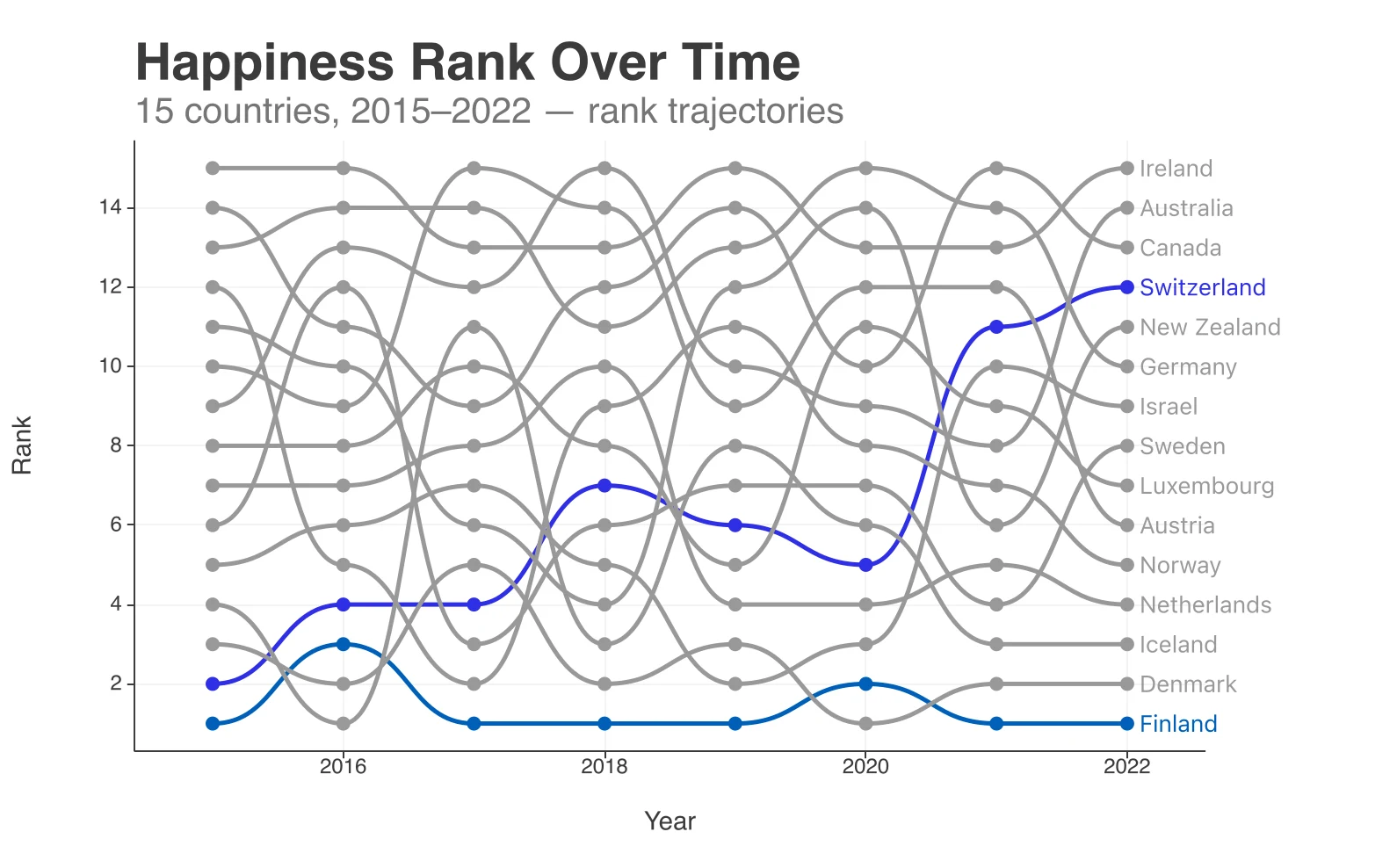
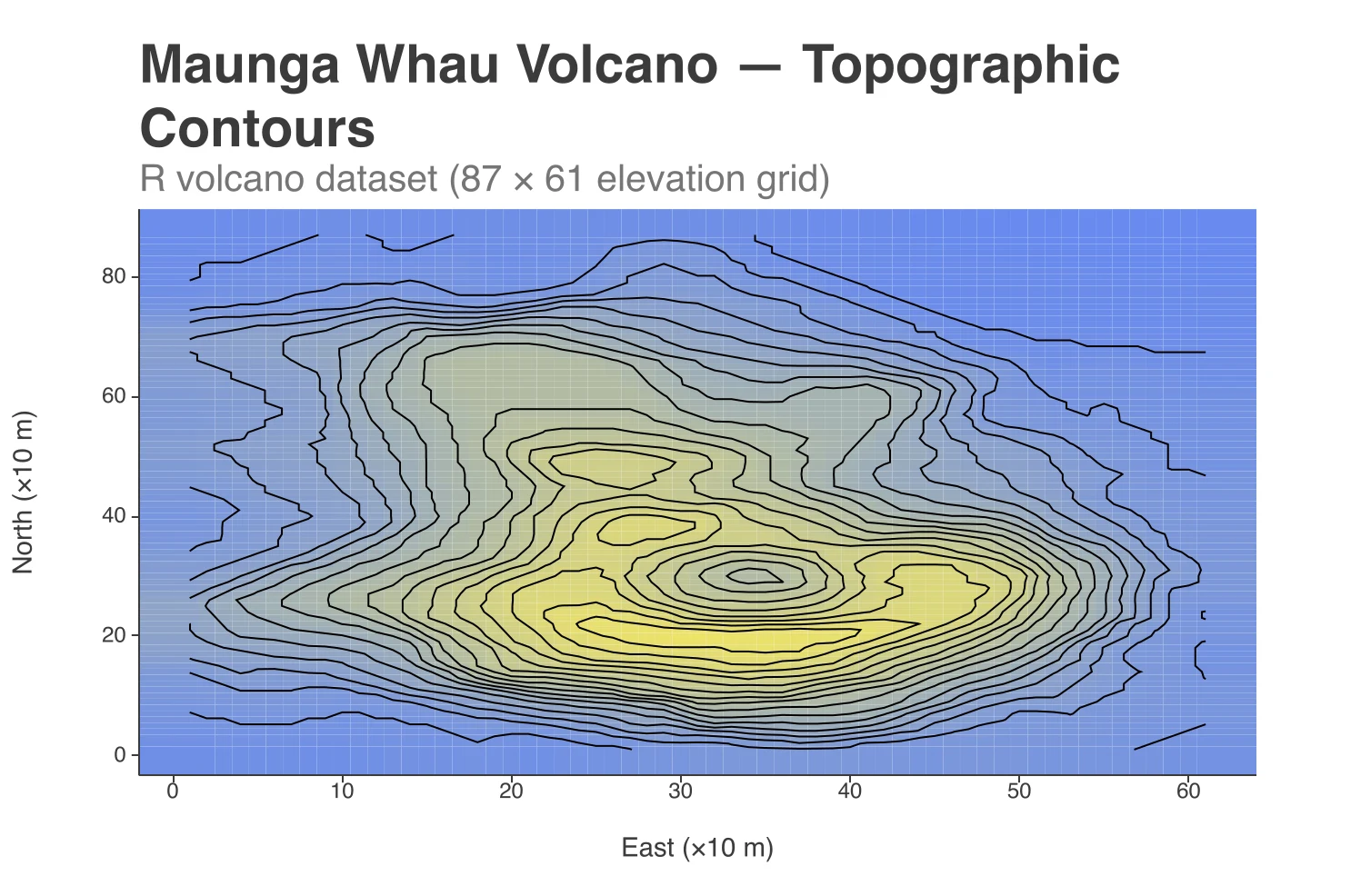
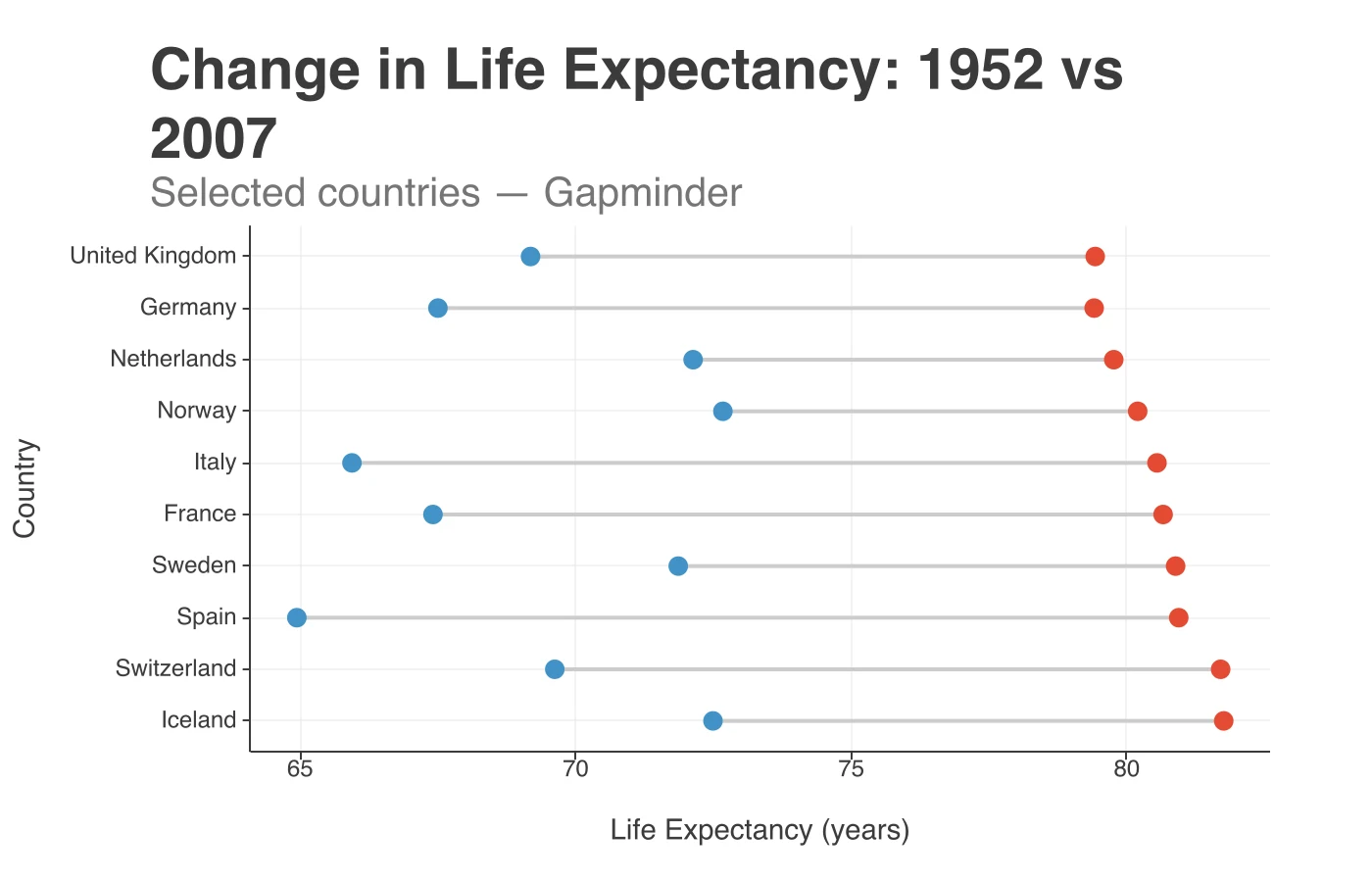
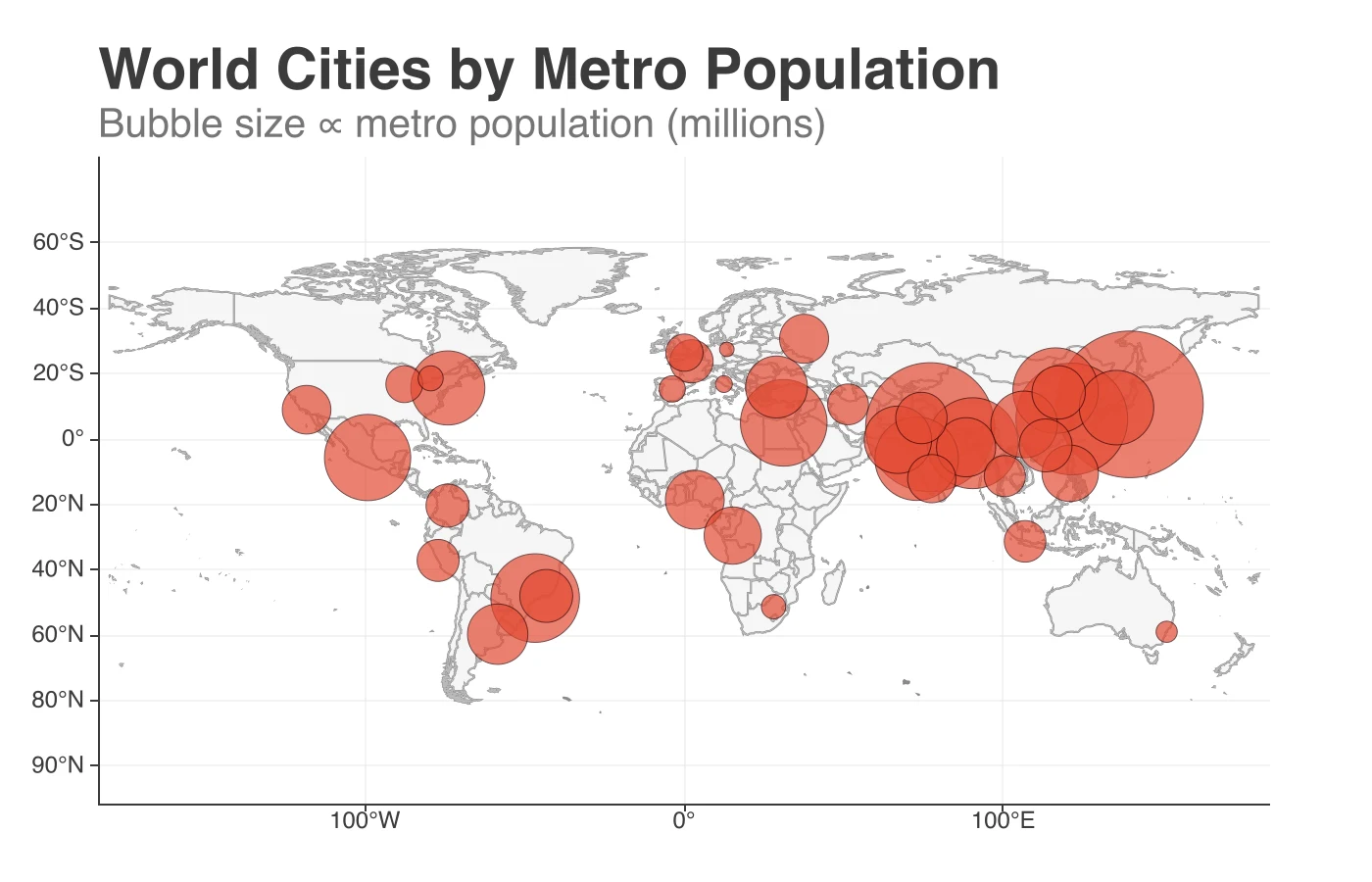
Pick a chart for the everyday work, or compose anything bespoke by layering plots. The same grammar is exposed to AI via MCP.
Statistical superpowers
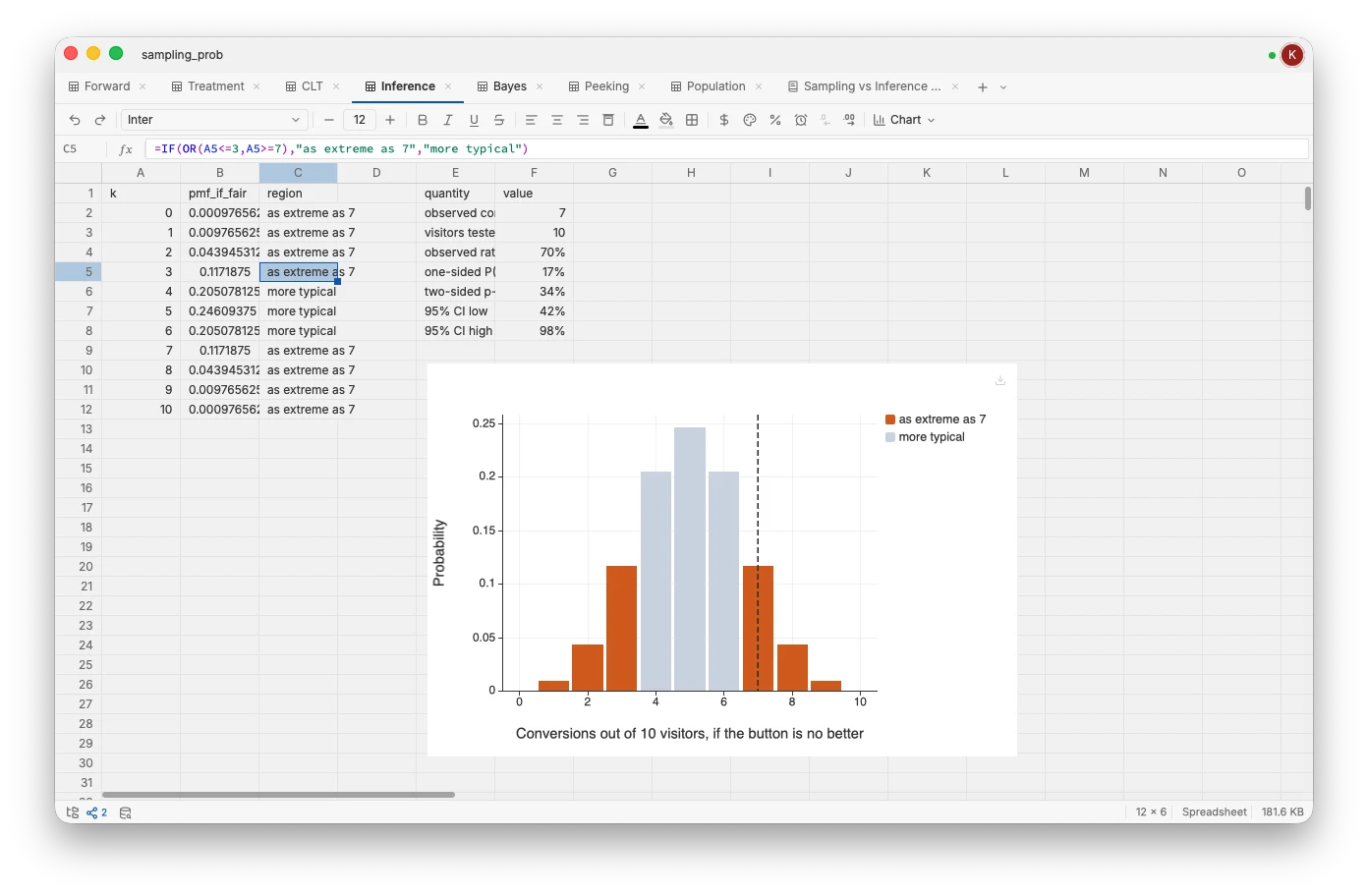
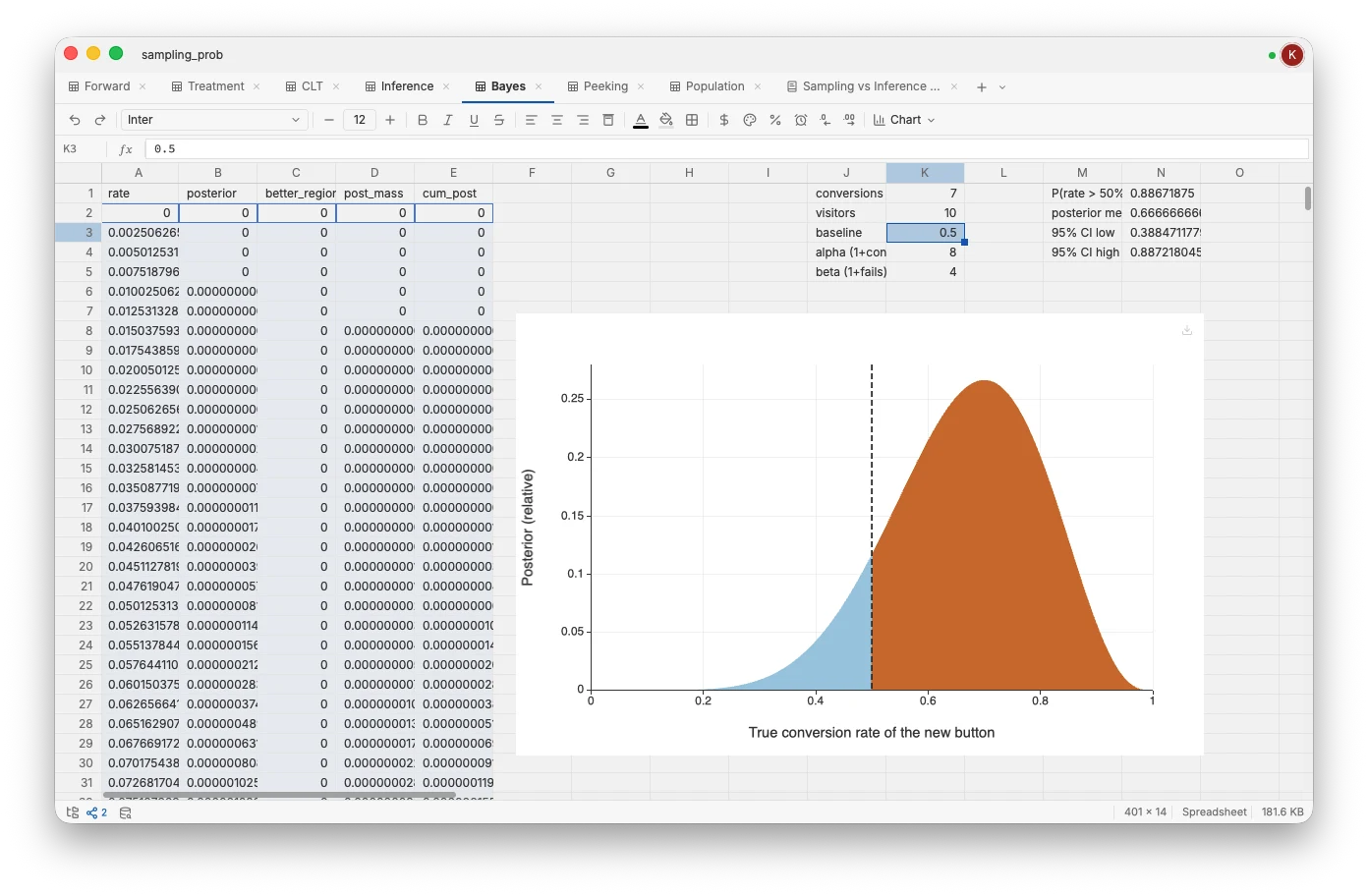
Survival analysis, exact power, epidemiology, and Bayesian inference as first-class formulas. Real estimators, no add-ins, no detour through R.
Bring your own AI
Built-in MCP server. Works with Claude Desktop, ChatGPT, Cursor, or anything that speaks MCP. Your data stays local.
Real-time collaboration
Self-host a private server with one command. Cells, formulas, plots, and documents sync live as your team edits. Your data never leaves your network.

Pick a chart.
Compose anything.
Publication-ready.
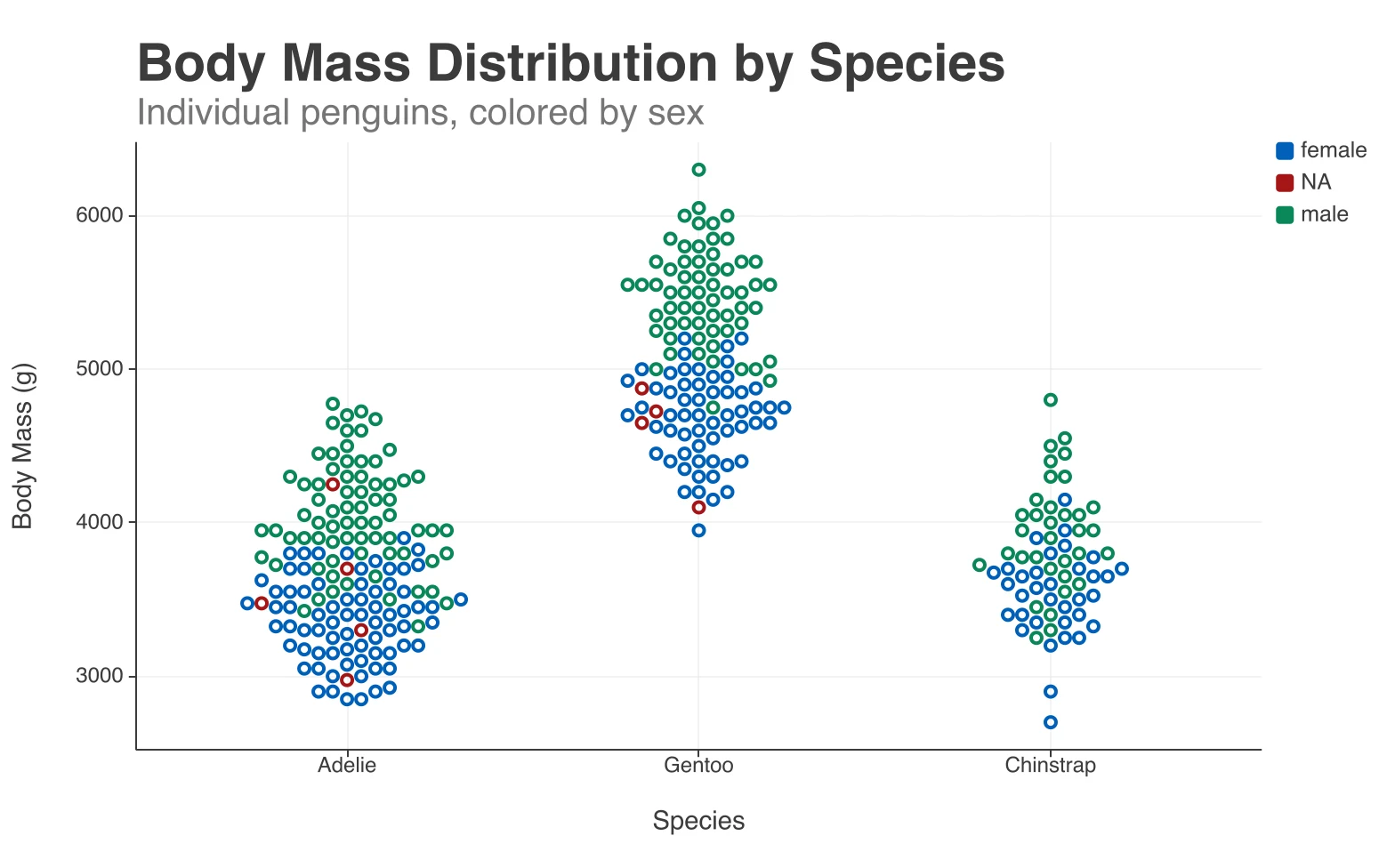
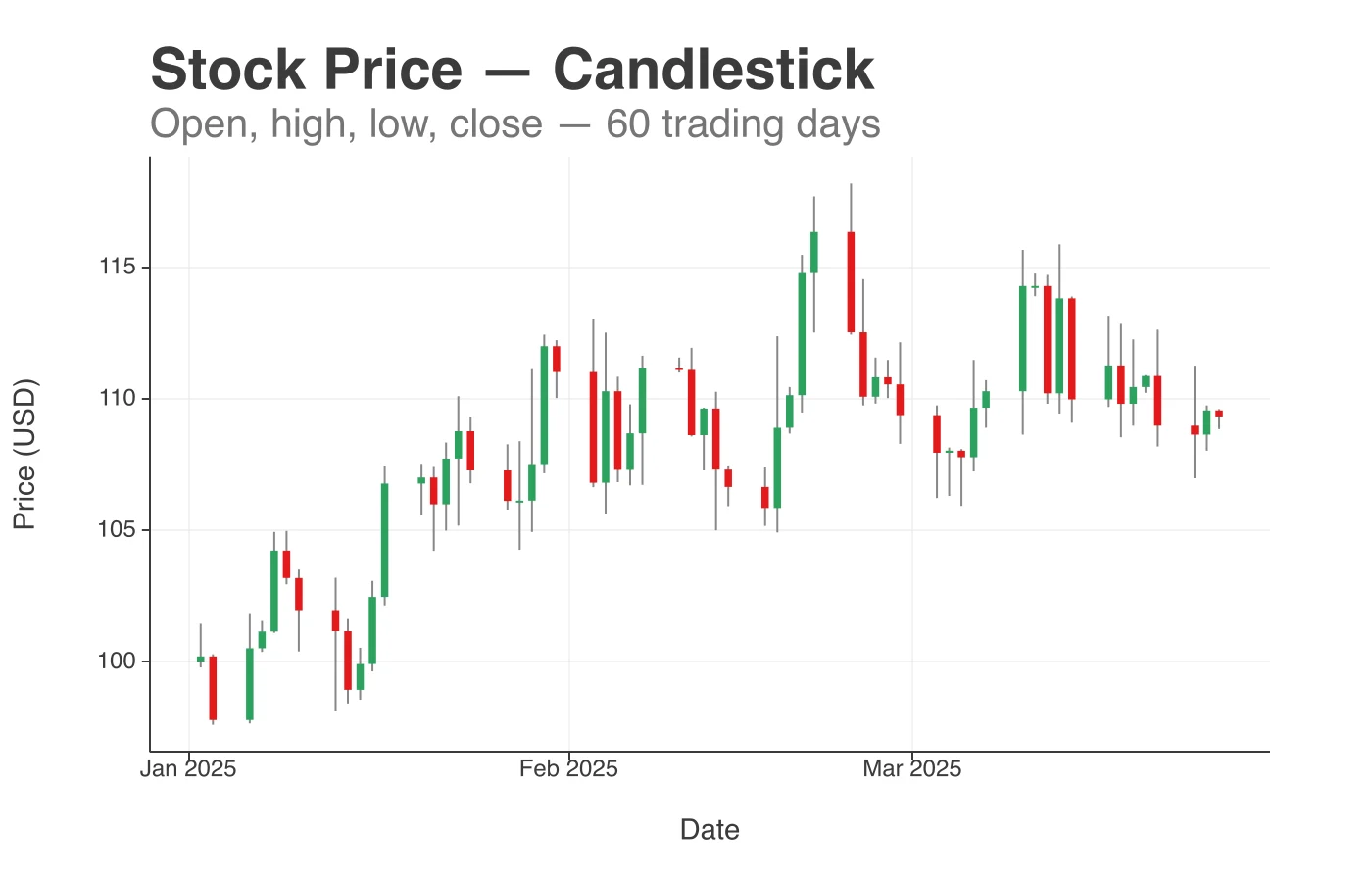
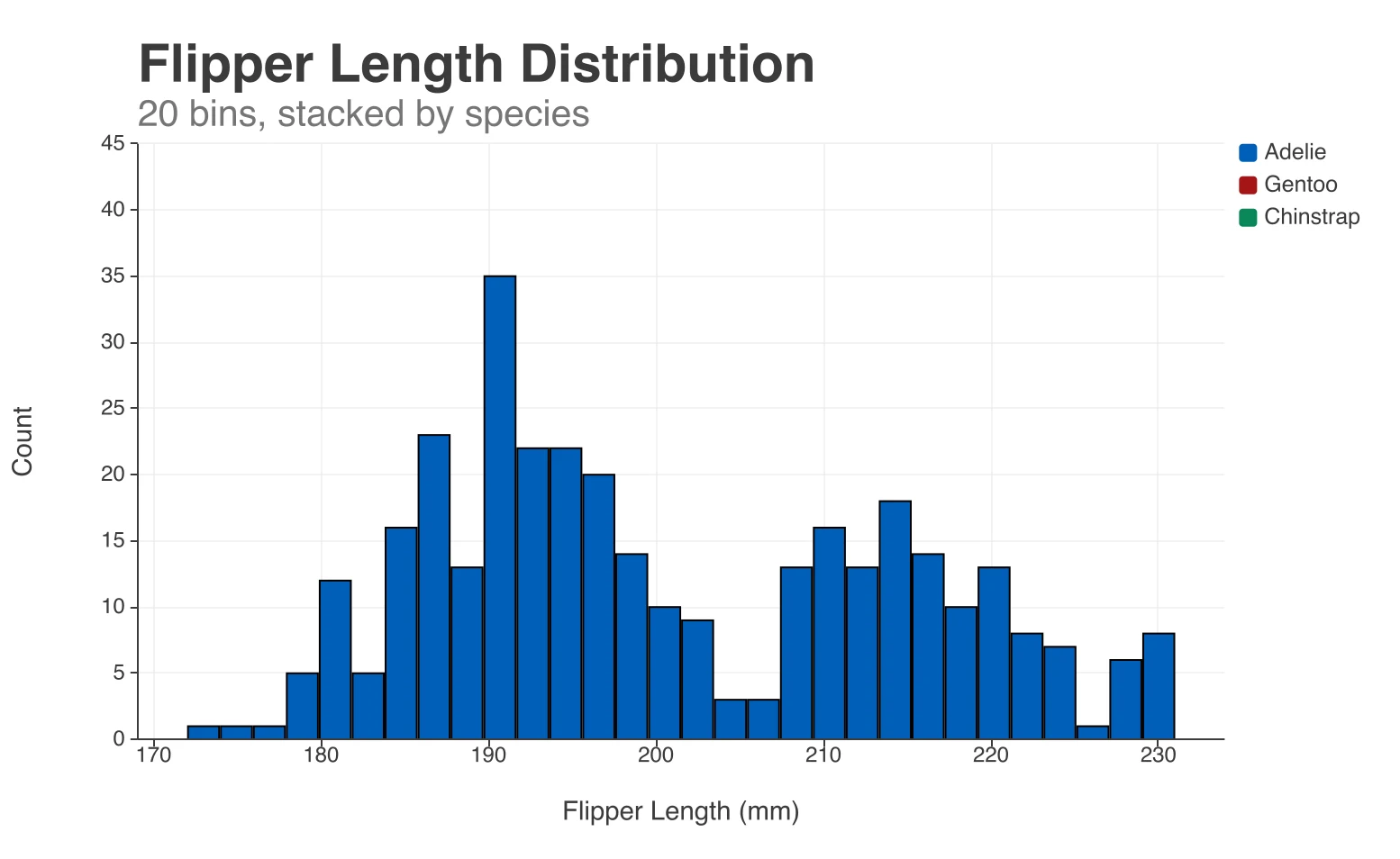
Chart picker for the common cases: line, bar, scatter, histogram, candlestick, and more
Compose anything else: layer series, overlays, trendlines, error bands, and annotations on a single canvas
Same grammar drives the AI: agents read and write your plots through MCP, no screenshots required
beeswarm · penguin body mass
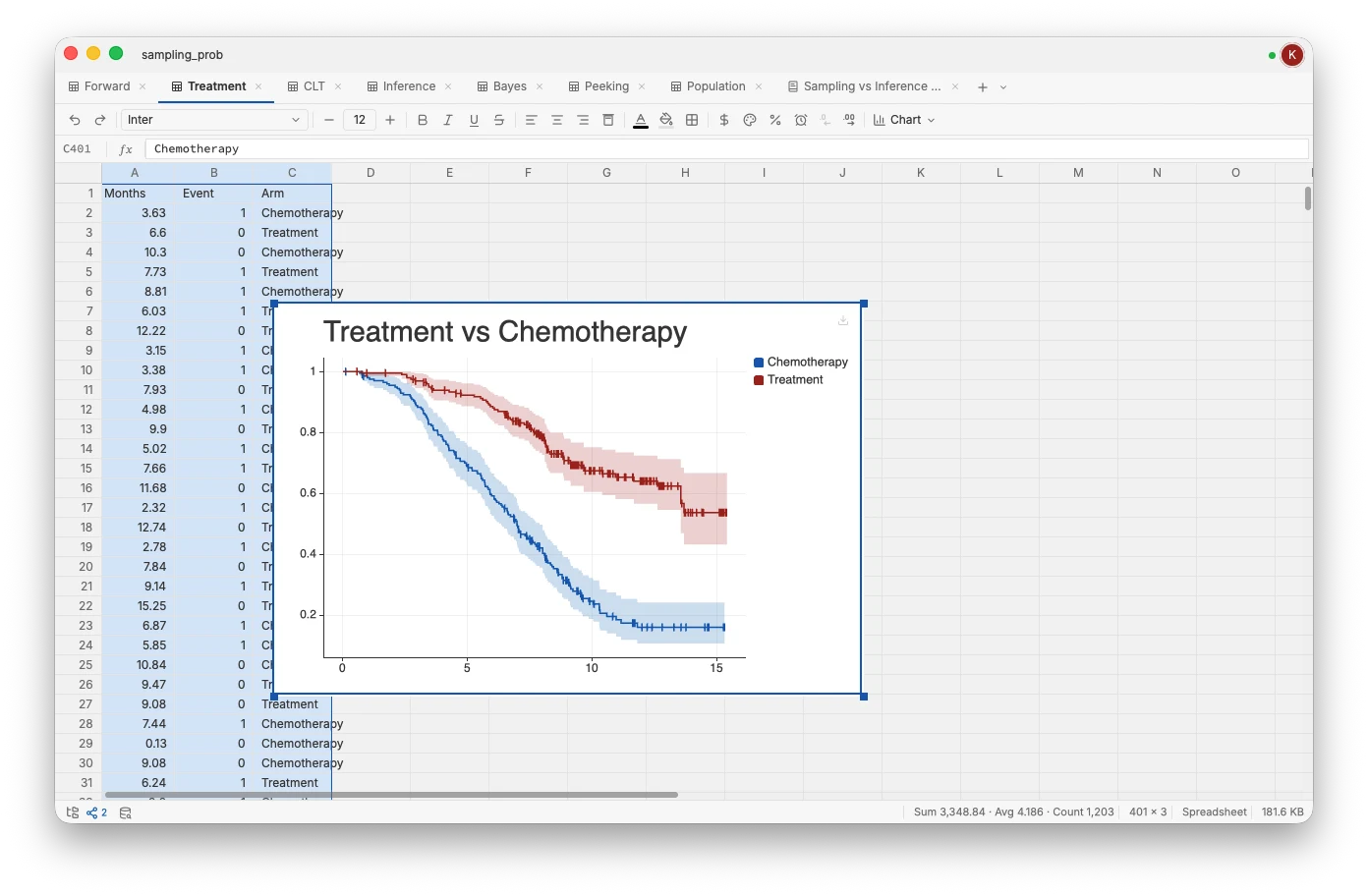
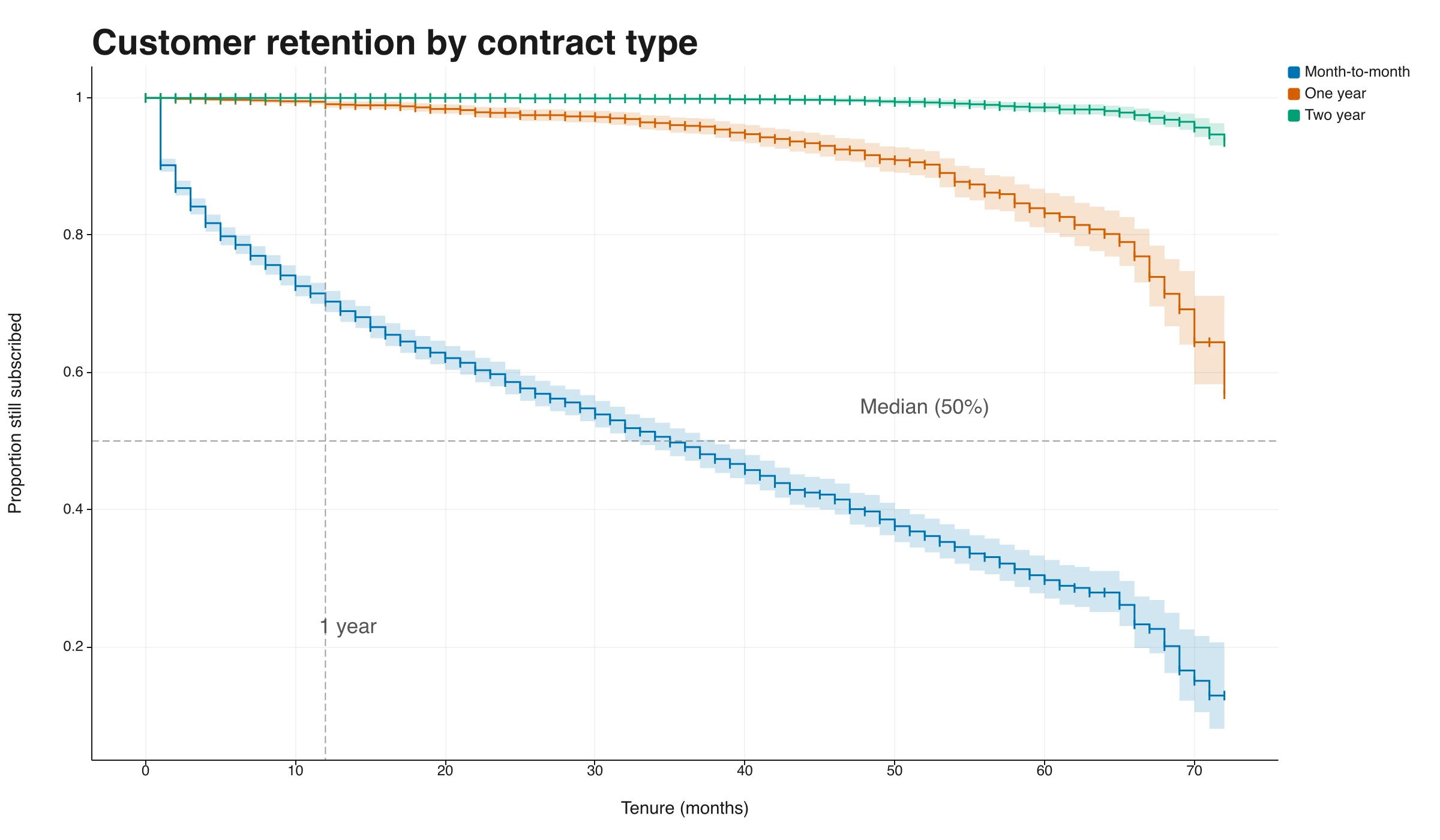
Kaplan-Meier survival curves drawn in TukeySheets from raw time-to-event data, with confidence bands, censoring ticks, and median and one-year reference lines

Statistical superpowers,
new classes of formula.

Survival curves, exact power, epidemiology, Bayesian inference, and simulation — real estimators built in as first-class formulas, not add-ins. And because they live in the sheet, your Typst papers and slides never drift from the analysis.

Survival analysis: Kaplan-Meier, log-rank, Cox hazard ratios, competing-risks incidence (SURV.*)
Power & effect size: exact power, sample size, and MDE for t-tests, ANOVA, χ², and correlation (POWER.*, COHEN.*)
Epidemiology: risk ratios, odds ratios, risk differences, and diagnostic accuracy from a contingency table (EPI.*)
Bayesian inference: posterior means and credible intervals for rates and proportions (BAYES.*)
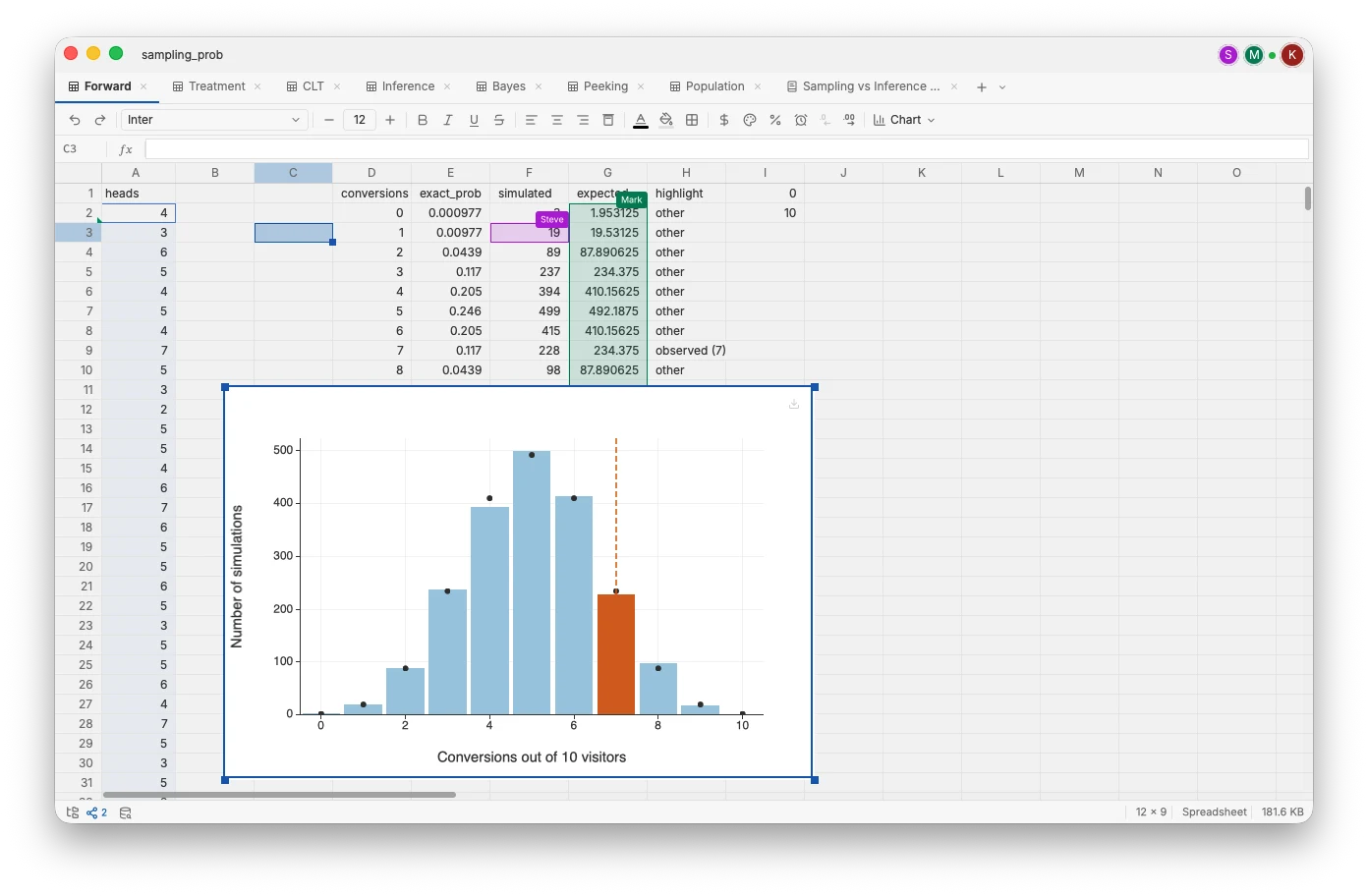
Simulation: spill whole columns of draws from any distribution (SAMPLE.*)

Slides and docs that
never drift from your data.

Write papers and slides in a built-in editor that lives beside your sheets. Reference cells, tables, and plots directly, and they update automatically whenever your data changes. There's no copy-paste step left to get wrong — the number in the sentence is always the number in the cell, and the chart on the slide is always today's chart.
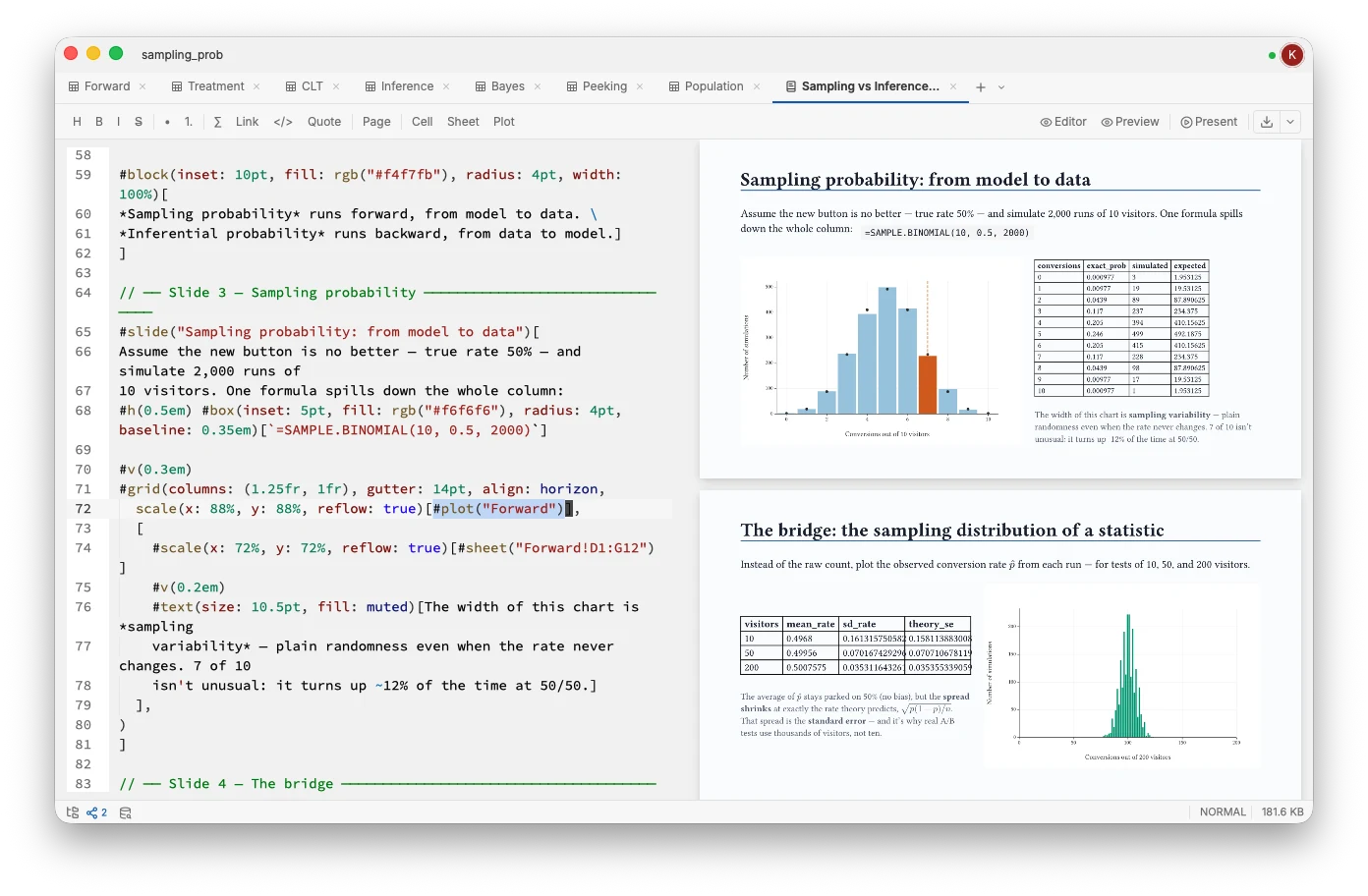
Write documents and slides in a tab right beside your data
Reference cells, tables, and plots directly — no copy-paste, ever
Everything updates automatically when the data changes, so nothing goes stale
Export a self-contained PDF or slide deck that always reflects the latest numbers
A slide deck built in TukeySheets that references live data, tables, and plots from the sheet

Bring your own AI.
Keep your data local.

TukeySheets ships an MCP server that exposes your sheets, queries, and plots to whichever AI you already use — Claude Desktop, ChatGPT, Cursor, or anything else that speaks MCP.
No lock-in
Works with Claude Desktop, ChatGPT desktop, Cursor, or anything that speaks MCP.
Standard MCP
Tools and resources expose cells, ranges, formulas, and queries to your LLM.
Local-first
The MCP server runs on your machine, not in the cloud. Your data never leaves it.
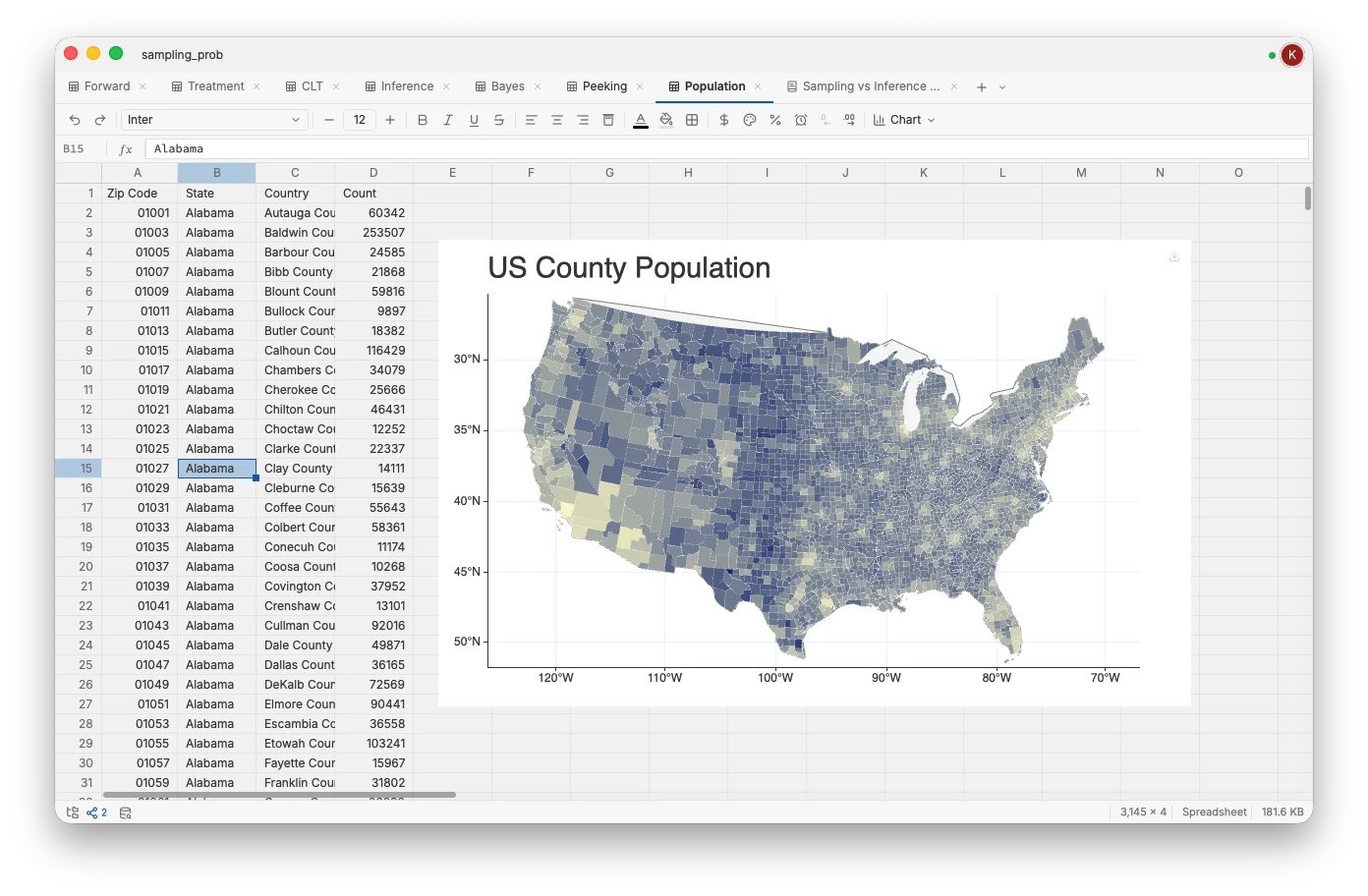
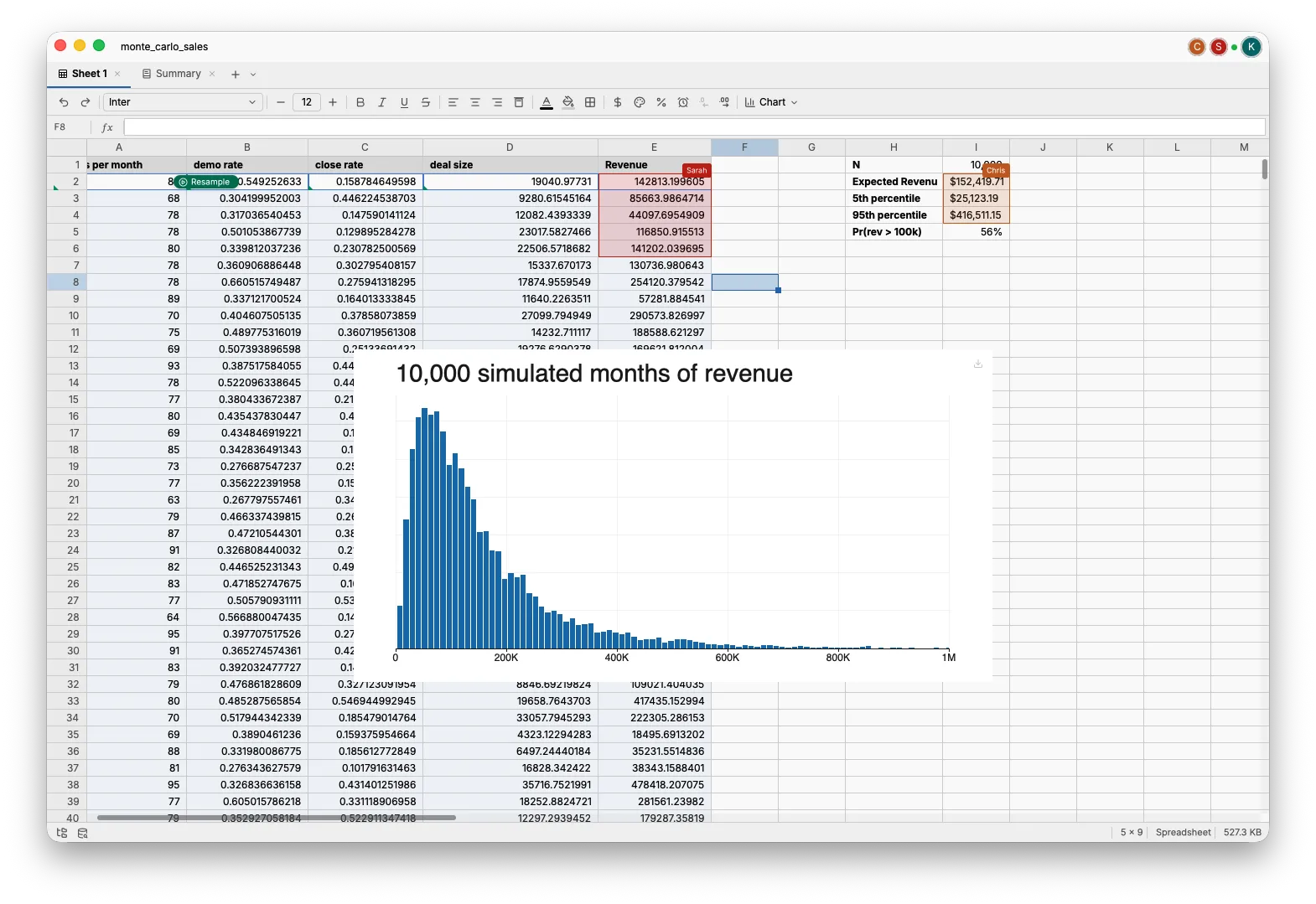
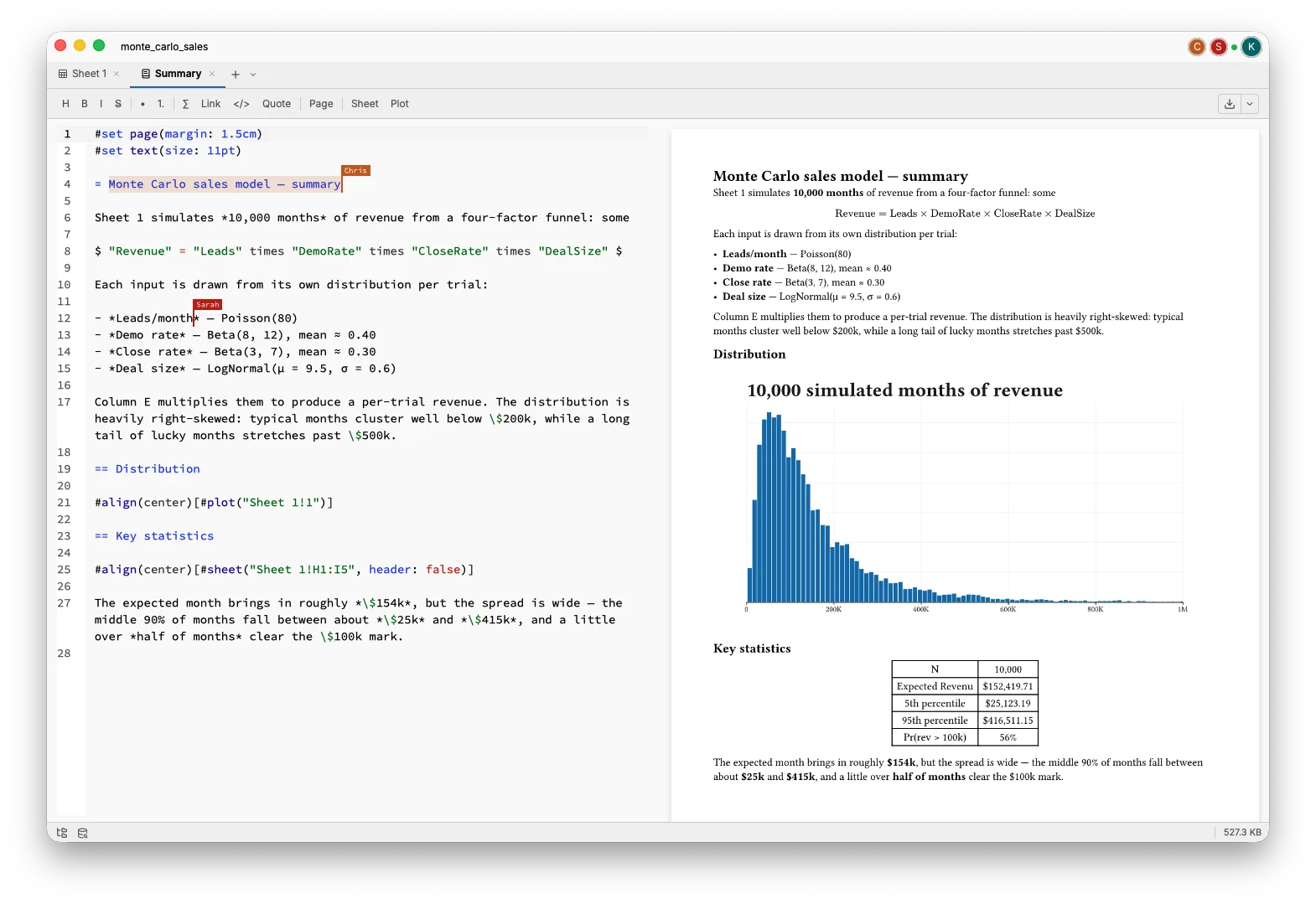
Two collaborators editing the same TukeySheets project: the live spreadsheet view with a Monte Carlo simulation and its histogram plotThe same shared TukeySheets project shown as a live Typst report, kept in sync with the spreadsheet as teammates edit

Collaborate in real time.
On a server you own.

Stand up a private collaboration server with a single command and invite your team. Cells, formulas, plots, and Typst documents sync live as people type, so the sheet and the report it feeds never drift apart. No third-party cloud sits between you and your data — it stays on infrastructure you control. Collaboration for two is free; a subscription unlocks more seats.

Self-hosted in one command: tukeysheets --server turns any machine into a collaboration host you run
Live presence: see each collaborator's cursor, selection, and the sheet they're working on
Real-time co-editing: cells, formulas, plots, and documents merge live with conflict-free sync
Private & secure by default: your data never leaves your network, no accounts, no SaaS middleman

A native app.
Not a browser tab.

The TukeySheets UI stays fluid on datasets that bog down web and Electron apps. The reason: TukeySheets is a native desktop app that renders straight to your GPU, the same hardware that draws modern games, with no browser engine, no DOM, and no Chromium runtime in the way. Every scroll, redraw, and cell update goes directly to silicon built for exactly this.

Free for individuals.
Talk to us for teams.

TukeySheets is free for personal, individual use. If you're using it for commercial or business work, get in touch and we'll set you up with the right plan for your team.

Individual
Free

For personal use, learning, and independent projects.

Every feature: plotting, statistics, papers, and slides
Built-in MCP server — bring your own AI, keep your data local
Real-time collaboration for two on a server you own
Native desktop app for macOS, Windows, and Linux
Commercial
Contact sales

For teams, businesses, and any commercial or organizational use.

Everything in the individual plan
Licensing for commercial and business use
More collaboration seats for your team
Priority support and onboarding